The fastest way to relieve eye strain from a computer screen is the 20-20-20 rule: every 20 minutes, look at something 20 feet (about 6 metres) away for 20 seconds. Add conscious blinking, fix your screen position and lighting, and most people feel a real difference within a few days. No special products needed.
If your eyes burn, itch, or feel heavy by late afternoon, you’re not alone. Most desk workers in the UK spend the bulk of their day staring at screens, and our eyes simply weren’t built for it. The fixes below are free, take minutes, and actually work.
What screen eye strain feels like
You’ll recognise it if you have it:
- Eyes that feel dry, gritty, or burny by the afternoon
- Blurred vision that clears when you blink
- A dull ahe around or behind the eyes
- Headaches that build through the working day
- Trouble focusing when you look up from the screen
- Neck and shoulder tension from hunching toward the monitor
These are the classic signs of digital eye strain. They’re uncomfortable but very common, and they respond well to the fixes below.
The 20-20-20 rule: your first line of defence
The 20-20-20 rule is the simplest eye-strain fix there is. Every 20 minutes, look at something at least 20 feet (6 metres) away for 20 seconds. That’s it.
It works because looking into the distance lets your ciliary muscle, the tiny focusing muscle inside your eye, fully relax. Up close work keeps it squeezed tight for hours. Twenty seconds of distance gazing is like unclenching a fist.
Set a timer on your phone or use a free break-reminder app until it becomes automatic. Pair it with standing up and stretching, and your neck will thank you too.
Fix 1: Get your screen position right
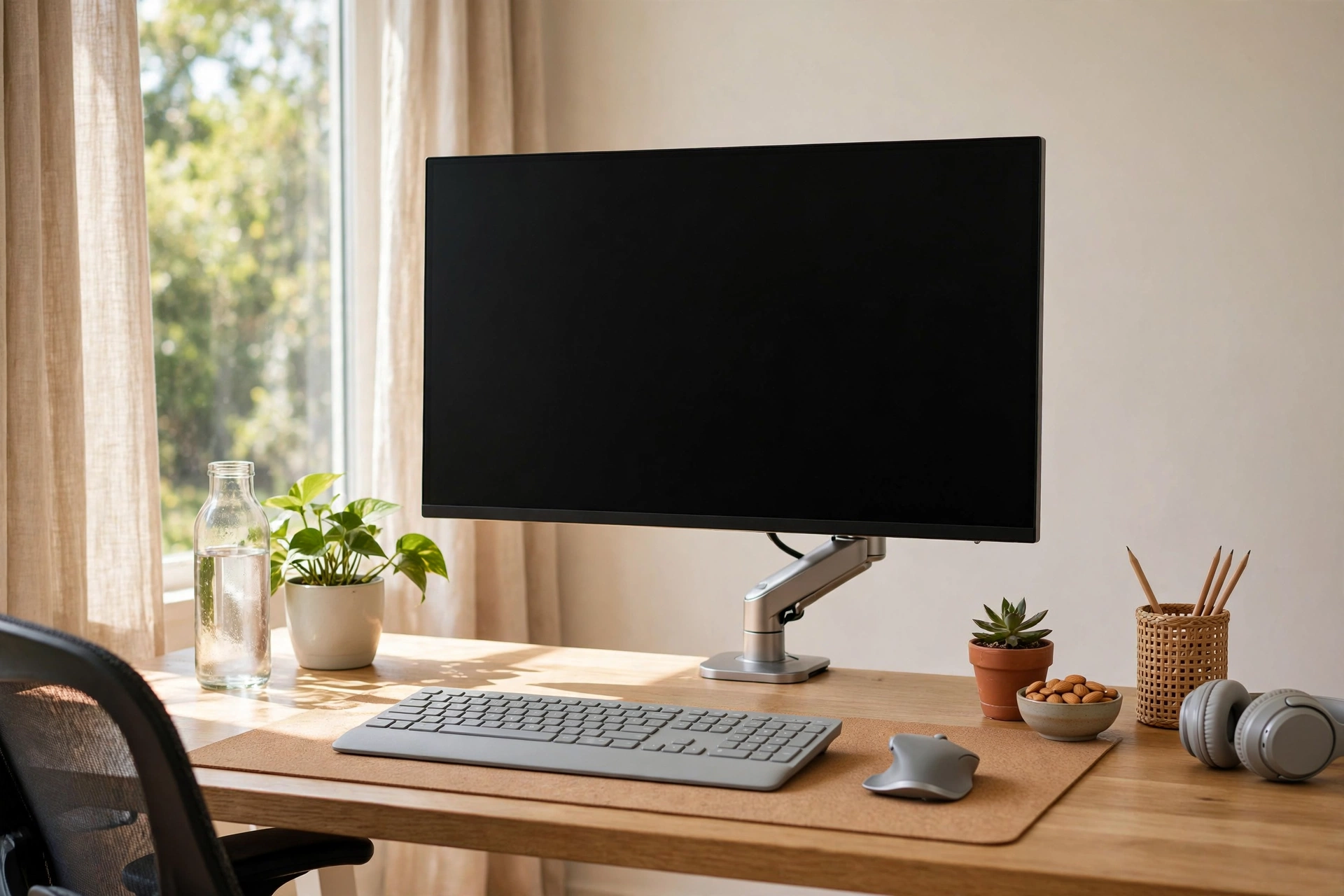
Bad ergonomics is a huge, overlooked cause of eye strain. Here’s the setup to aim for:
- The top of your screen should be at or just below eye level
- The screen should sit about an arm’s length away (50 to 70 cm)
- You should be looking slightly downwards, not up or dead straight
- If you use a laptop, a separate keyboard and a laptop stand make a big difference
Looking slightly down means your eyelids cover more of your eye, which slows tear evaporation. It’s a small change with a surprisingly big effect.
Fix 2: Kill the glare
Glare forces your eyes to work harder to read the screen. Check for:
- Windows behind or beside you reflecting on the screen, turn the monitor or close blinds
- Overhead lights bouncing off the display, tilt the screen slightly down
- A glossy screen in a bright room, a cheap matte screen filter fixes this
Your screen brightness should roughly match the room around it. If your screen looks like a glowing rectangle in a dim room, turn the brightness down. Most people run their screens far brighter than they need to.
Fix 3: Sort your lighting
The ideal setup is soft, even lighting with no harsh contrasts. A desk lamp placed behind your monitor, lighting the wall rather than the screen, works well. Avoid working in a dark room with only the screen lit, and avoid sitting with your back to a bright window.
If you work from home in a spare room with one harsh ceiling light, a £15 desk lamp is one of the best eye-strain purchases you can make.
Fix 4: Blink more, and consider drops
Remember the blink problem: screens cut your blink rate dramatically. Make a habit of slow, full blinks every so often, especially when you feel dryness creeping in.
If blinking isn’t enough, artificial tears from the chemist can help. These are simple lubricating eye drops, no prescription needed, and they’re fine for occasional use. Keep a bottle at your desk. If you find yourself reaching for them every single day, that’s a sign to book an eye test rather than just treating the symptom.
The fixes at a glance
| Fix | What to do | Why it works |
|---|---|---|
| 20-20-20 rule | Look 6m away for 20 seconds, every 20 minutes | Relaxes the focusing muscle |
| Screen position | Top of screen at eye level, arm’s length away | Less strain, slower tear evaporation |
| Kill glare | Blinds, screen angle, matte filter | Eyes work less hard to read |
| Better lighting | Soft lamp behind screen, no harsh contrast | Pupils stay relaxed |
| Blink and drops | Slow full blinks, artificial tears if needed | Keeps the tear film intact |
When to get your eyes tested
If you’ve tried all of this for two weeks and your eyes still feel awful, get an eye test. You might need glasses, or your current prescription might be out of date. In the UK you’re entitled to an NHS-funded sight test if you’re under 16, over 60, or have certain medical conditions, and many employers contribute toward eye tests for screen workers. It’s worth asking.
Related reading: Why Do My Eyes Feel Tired All the Time? · Dry Eyes in the Morning
FAQs
With proper breaks and setup fixes, most people feel better within a few days. If it doesn’t improve after two weeks of good habits, book an eye test.
Probably not. There’s no solid evidence they reduce eye strain. The fixes in this article, breaks, blinking, and setup, have far more behind them.
Occasional use of lubricating drops is fine. Daily reliance suggests an underlying issue like dry eye or an old prescription, so see your optician.
If symptoms persist despite the fixes above, if your vision changes, or if you have eye pain, ongoing redness, or sudden vision changes. Don’t wait on sudden changes.
This article is for general information only and does not replace professional medical advice. If you have ongoing concerns, see your optician or GP.